Hey, welcome to the Community!
Depending on your project settings, inserting a new chapter heading does leave an empty page in between the chapters. This is usually for paperback projects, as starting a chapter on an odd page is a common industry standard.
You can change this setting with following steps:
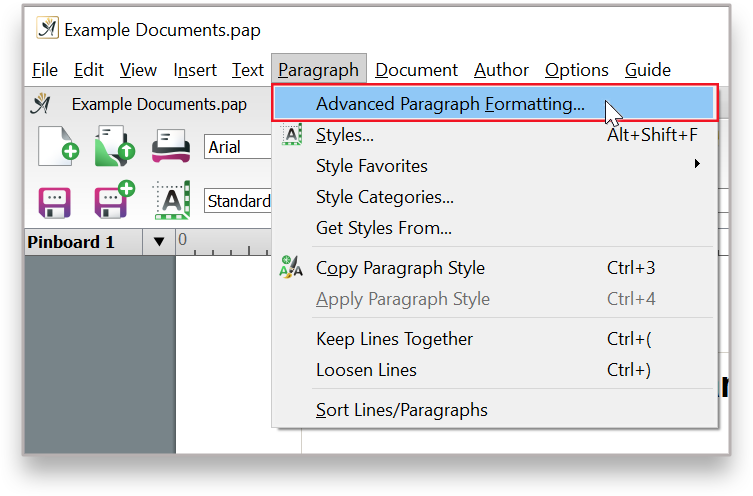
Go to ‘Paragraph’ → ‘Advanced Paragraph Formatting’
Click on ‘Position’ to open the menu for options and select ‘Start of new page’ if you wish to start new chapters from a new page.
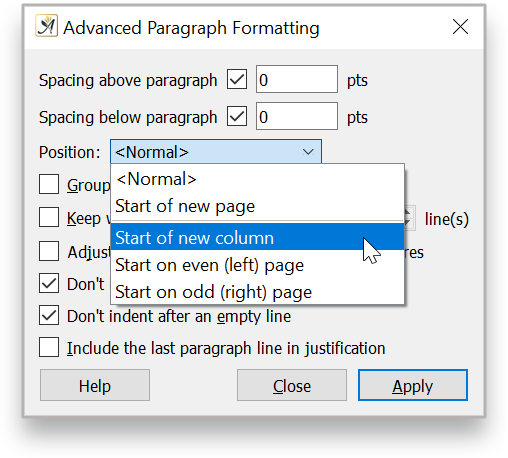
Remember to hit ‘Apply’ after changing preferences here.
Let me know if there’s something else I can help you with!