This keeps popping up frequently. I go to export an epub, and everything is fine. I edit for a while, and the next time I try to export, I get a “document contains 1 missing link”. It is always in the same place. There is a table of contents entry that points to the first heading in my book and claims that a linked file is missing.
I can get rid of the error by deleting the heading, looking for invisible elements, deleting all labels and links related to it, regenerating the table of contents. I’m never sure of the exact step that fixes it, but it seems like there are several things that have to be done.
Once I manage to get rid of the error, it stays away for a while. Then comes back. And I have not edited that first chapter at all. I cannot find a way to reproduce it deterministically.
I have the Alt key disabled, so it’s not because I hit a strange menu item… as far as I can tell. And it is always at the front of that first unnumbered chapter. There is no way to mark the error as ignore from now on, so it pops up every time I try to export until I fix it. And the fix is several steps apparently.
Any ideas? It happens several times per writing session and drives me c razy.
It just happened again, in exactly the same way. I was able to export with no warning several times after fixing it the last time, and now it’s back.
Hi,
I think this is the “Document Check” feature at work!
Do you delete whole chapters when you edit?
The Table of Contents might not keep up with these edits, so if you shuffle chapters around, and delete some of them, the Table of Contents will not match the final structure of your book.
Then, the Document Check sees these links that go nowhere and warns about them.
a quick way to compare is going to the Table of Contents page of your book and opening the Navigator next to it. You can always update the Table of Contents with right-clicking and choosing “Update Table of Contents”
You can open the Document Check from the “Document” menu, and see if there are any errors before exporting. You can disable the “Check Links” feature there as well if you want:
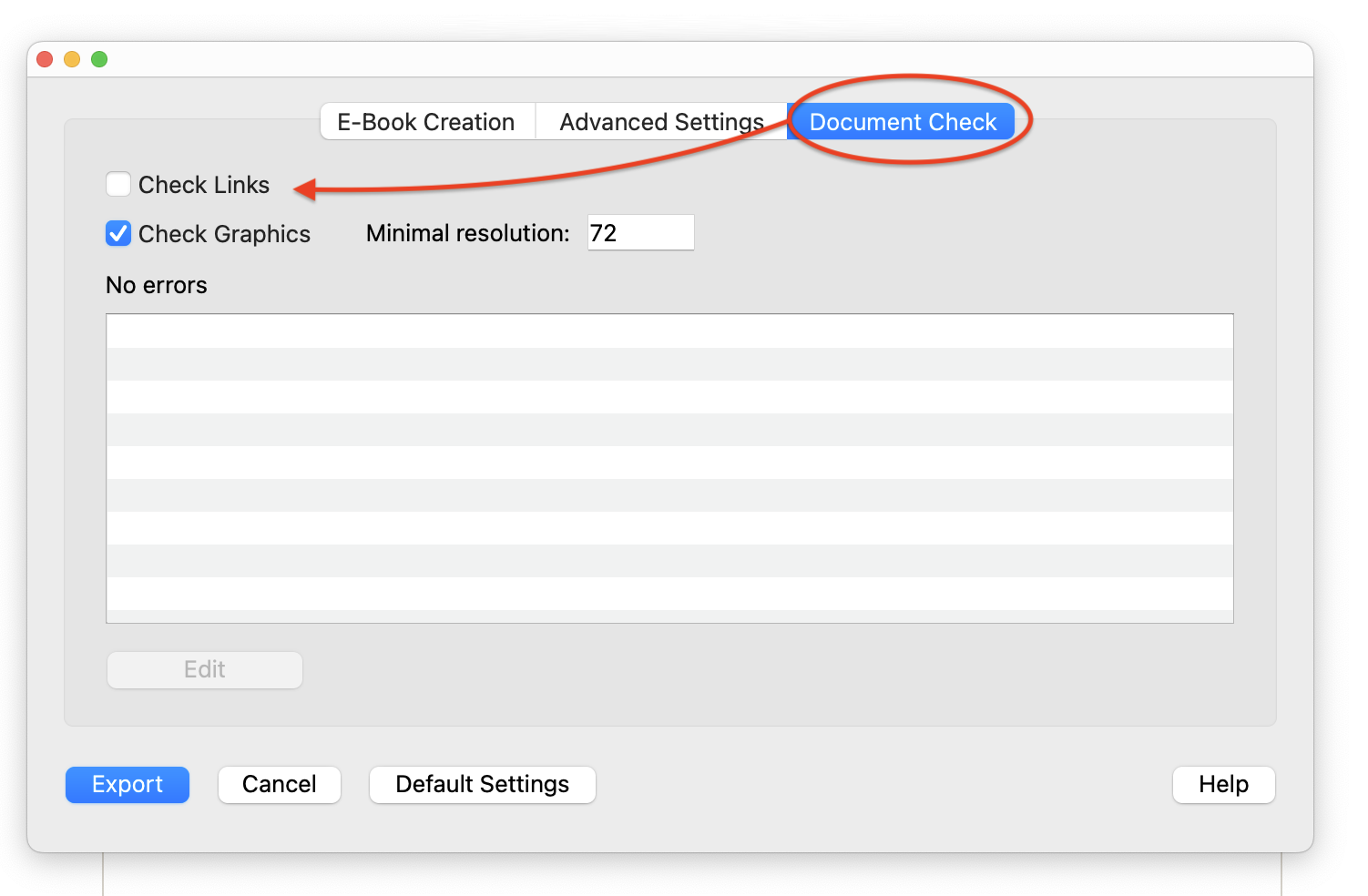
I’d recommend keeping it on, but doing a quick right-click → “Update Table of Contents” on the Table of Contents page before exporting. 
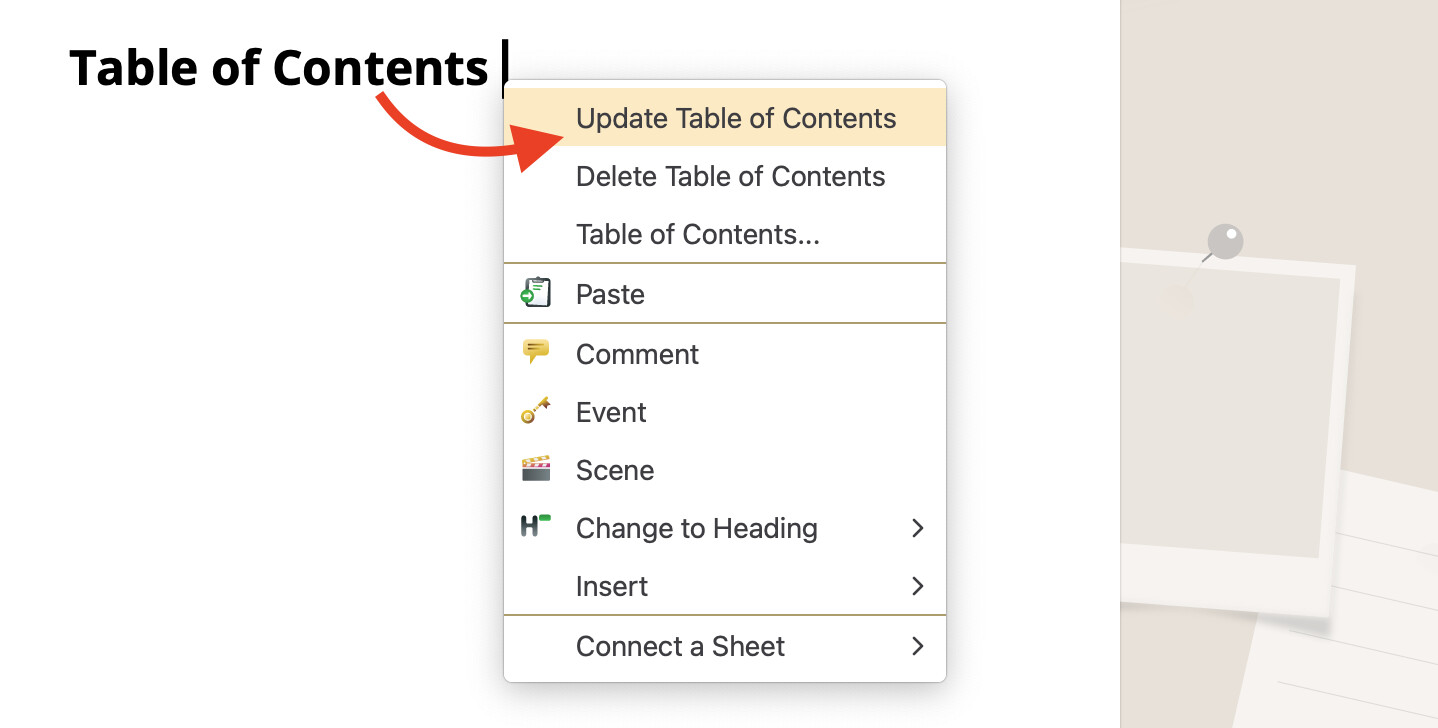
Let me know how it goes!
Sam, I don’t delete chapters or move them around. Document check is enabled and Check Links is checked. Update Table of contents doesn’t fix this error. When it happens, my First Chapter heading and the chapter text turn blue. As if they are now part of the table of contents?
The Extended link check tab shows two errors with the same label or link.
Turning off Check Links turns off the warning, but I still have to find a way to fix the document and get the heading and text to be “not blue”.
Thank you for any help.
If I highlight the blue text and right click, there is an item for Delete Link (or maybe Delete Label). That removes the blue text colorization. There was no invisible element indicating a link or reference.
Sam, is there any possible keystroke that would create a errant link to my first heading when I am editing a completely different part of the document? Something that creates reference or link to not only the heading, but the body text of that chapter as well.
Assume that the problem is pilot error; is there any way to explain it that way?
Yep, I can reproduce this state; the text is set as a link, and if the link points to nothing, I get these errors in Document Check:
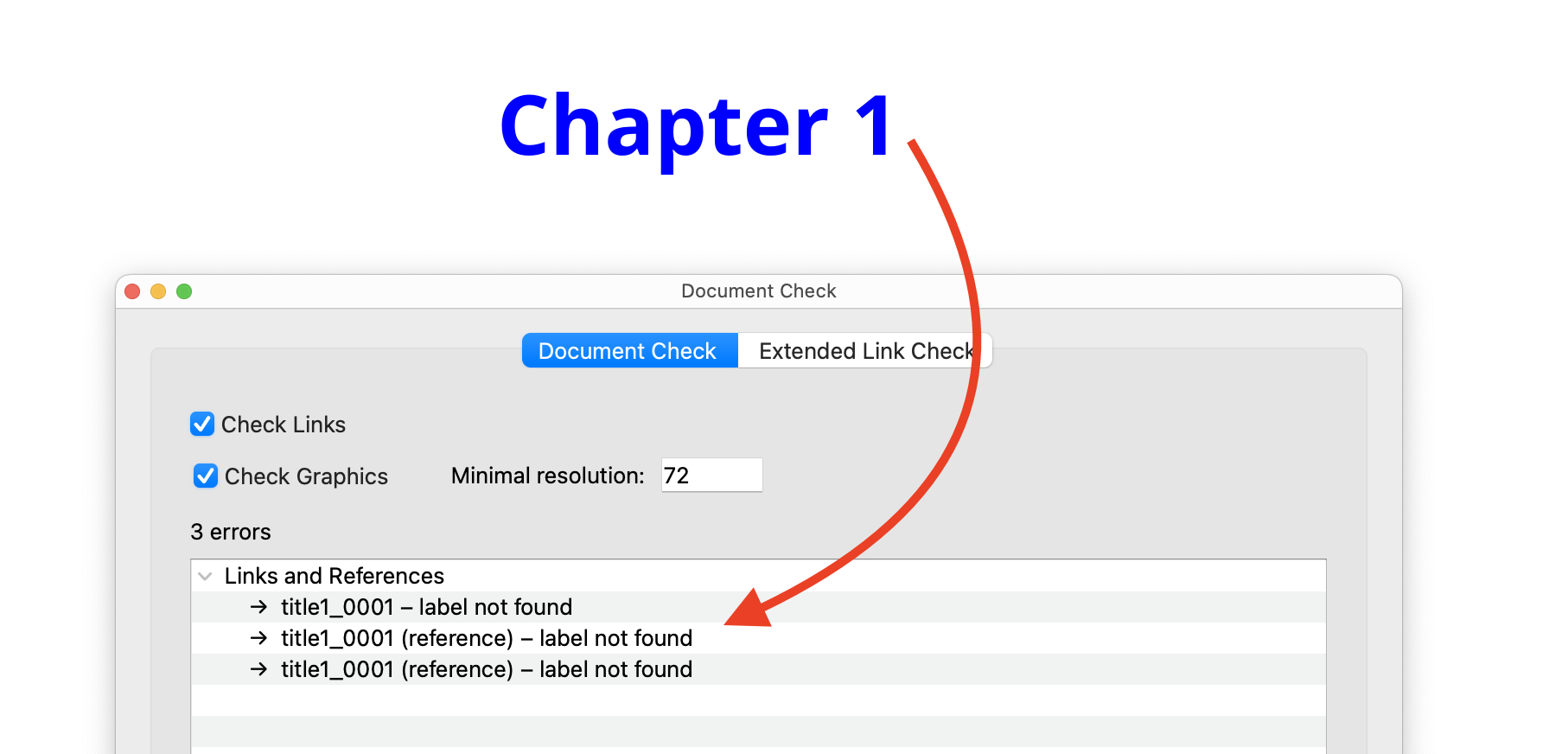
I got to this state by manually linking the heading (right click → “Insert” → “Link…”), but there’s no keyboard shortcut to make that happen.
I went through the normal workflows of adding chapters and editing table of contents, but couldn’t come up with steps that would add these links easily.
Can you send me a private message with a .pap file that has a chapter heading and Table of Contents in this state? I’d love to take a look.
Thank you. The next time it happens, I will do just that. I do appreciate you looking into it. One note: I do not have my cursor anywhere near that section occurs.