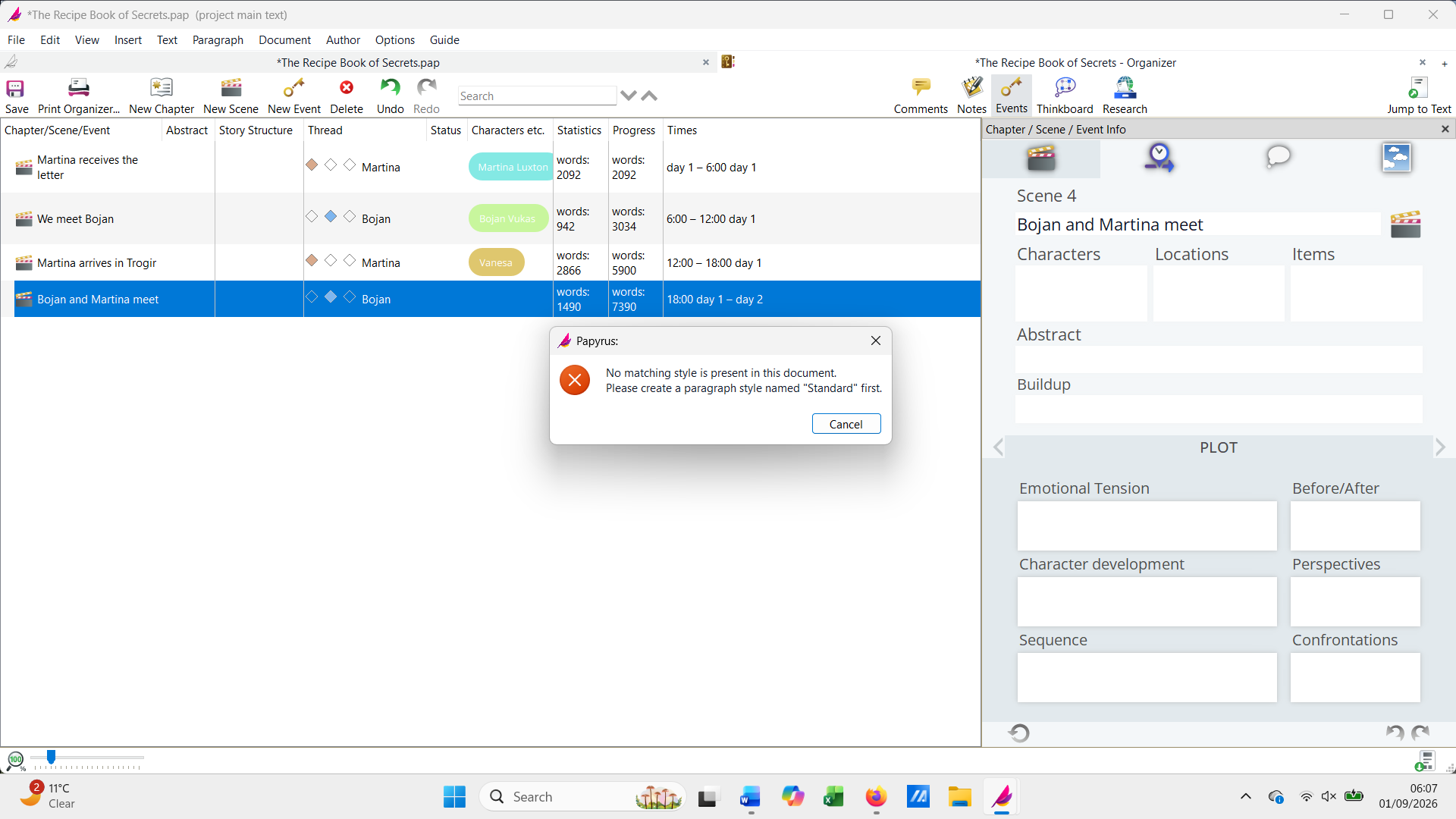
I am working on a new book and have created the first four scenes but when I try to add a fifth I get the message ‘No matching style is present in this document. Please create a paragraph style named ‘Standard’ first.’ I’ve done this and it makes no difference. I remember years ago the trial version of Papyrus only allowed a limited number of scenes in organiser, but I’m using a fully paid up version and I am fully logged in because all my other books are showing on my dashboard.
Seems like the Paragraph Style ‘Standard’ has been somehow deleted. Probably not a Scene creation issue. If that is the case here, then just creating a new style named Standard will hopefully solve the issue. You can check by changing the entire text block to some other style and then trying to create a new scene. Alternatively, reinstalling may also get the missing style(s) back.
I’m adding the new scenes from the organiser and attach a screenshot of the message I get, and also the document.
I’ve just tried a little experiment and I can add a new scene from the document so could use this as a workaround, but it isn’t as convenient - although it does make the issue less urgent.
Third time lucky with this reply as it’s bounced twice! I attach the screenshot and the document, and the problem is only when I add scenes through the organiser, and not adding them on the document itself. It’s a bit clunky to do this when adding every scene in the book in preparation to write though!
@orko nailed it; the problem is with the “Standard” text style.
In your document, the style is actually named “Standard ” with an extra space at the end. When you add a scene through the Organizer or Navigator, Papyrus tries to use a style named exactly “Standard” for the placeholder text and can’t find it.
It’s a quick fix:
Open the Styles dialog from the toolbar (the A with rulers around it).
Select “Standard ” from the dropdown.
Delete the extra space at the end of the name, so it reads “Standard”.
Click Apply.
I made a quick video of the steps:
After that, you should be able to add scenes normally from the Organizer again.
We’ll definitely fix this behavior, and add a routine, so Papyrus will have some text style to fall back on in every situation.


 |
| 

 It’s a quick fix: