Welcome to the Community! 
Great questions!
The choices in the Book Creation, like “Genre”, are added to your book’s metadata and the Front Matter, and the choices change the heading styles (+ fonts, etc.) like you mentioned.
All of these are super quick to switch out, so if you’ve already started your book with a template, you can change them instead of starting a new one!
You can also switch the book’s genre, the Author’s name (if you’re using a pen name for example) and more by going “Document” → “Document Properties”, and changing them in the “Metadata” tab.
You can change the heading style to numbered chapters with the Book Designer (check out here: The Book Designer):
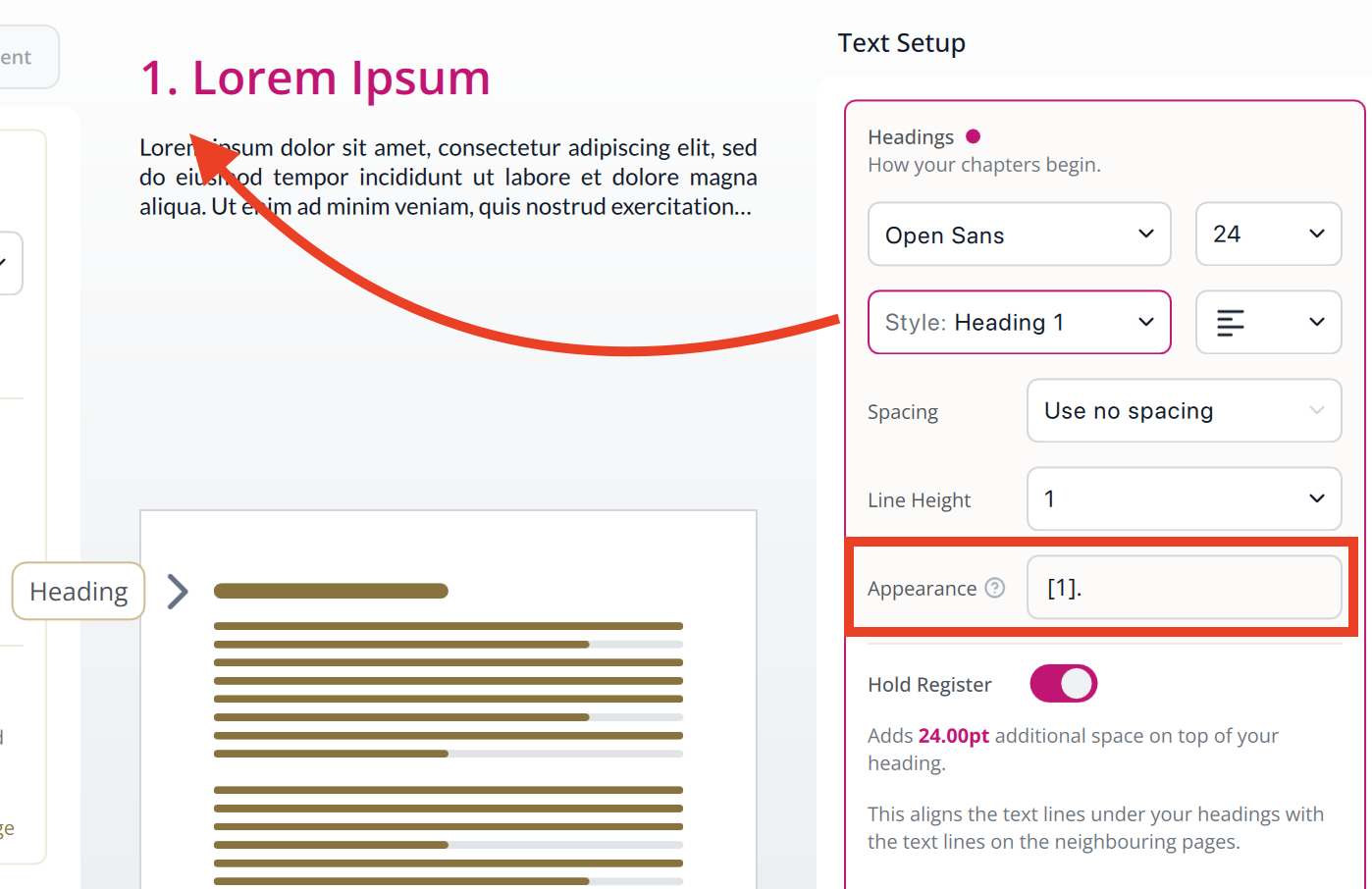
And for creating sections, here’s a previous thread on how you can do that: How to Create Parts For Existing Chapters?
If you’re looking for even more custom heading styles, let me know! 
I’m sure your bones are plenty creative! Have fun with Papyrus, and good luck! 