Hi, and welcome to the Community! 
Awesome-sounding project. I’ve never thought about a setup for publishing chapter-by-chapter. 
For me, the key would be keeping your main writing project separate from the to-be-published individual chapters. Having them separate, you can keep all the Sticky Notes, Thinkboards, Ghost texts, Comments and other stuff in the book, and publish clean chapters separately.
Maybe you’ve already got some chapters ready, others work-in-progress, and maybe you write in a completely different page format and font size than the actual published chapters.
What I’d do is keep one main Papyrus project for writing the whole story, and then create separate files for the chapters you publish as you go.
Here’s how you could set it up:
-
Start a Papyrus project for your book. You’ll get a folder in your mac’s “documents” folder with the main book file, its backups and other Papyrus-specific files.
-
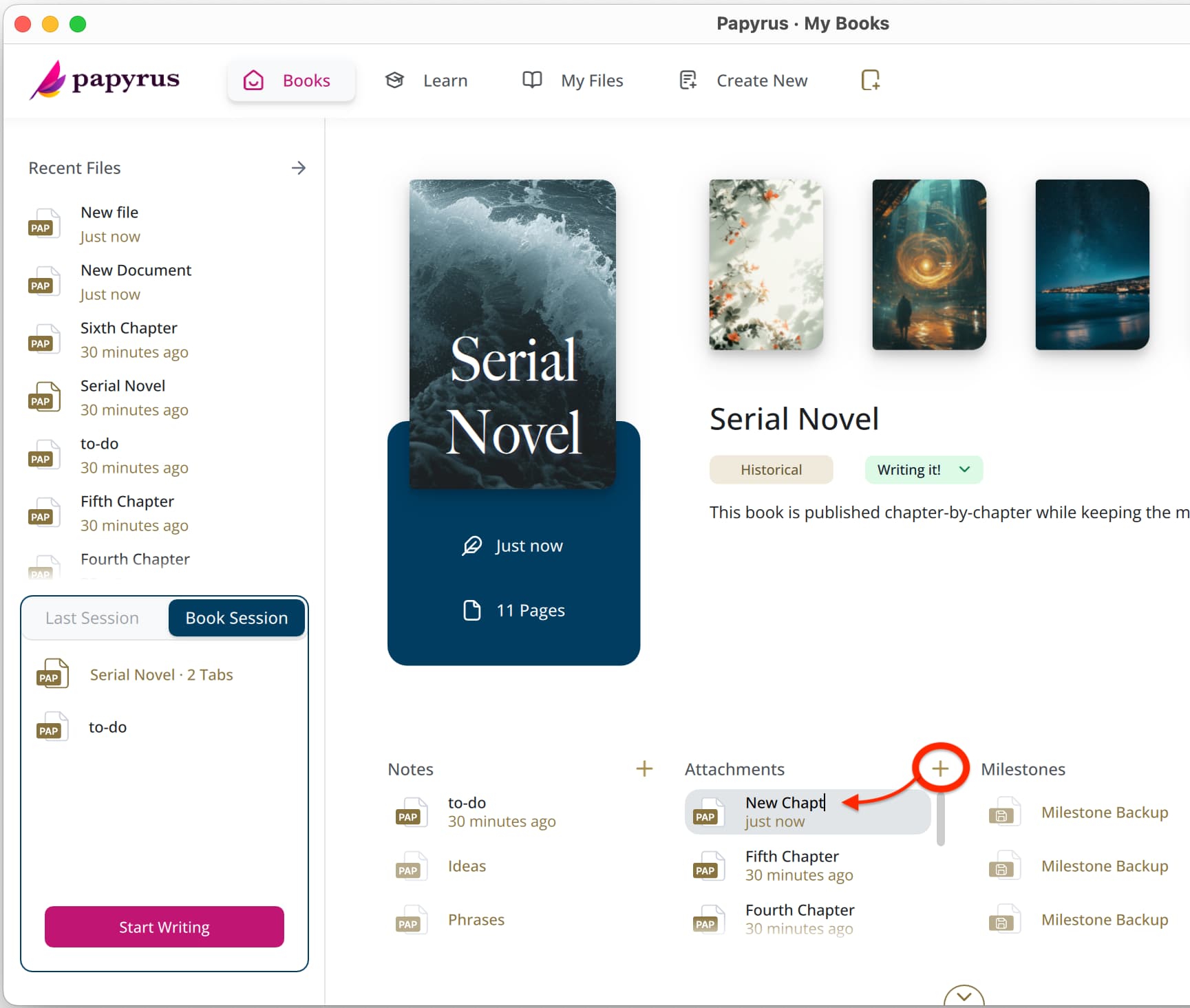
Add new documents to your project in the Start Screen:
 These files you add as “Attachments” are saved in the project’s folder, so you always know where they’re saved.
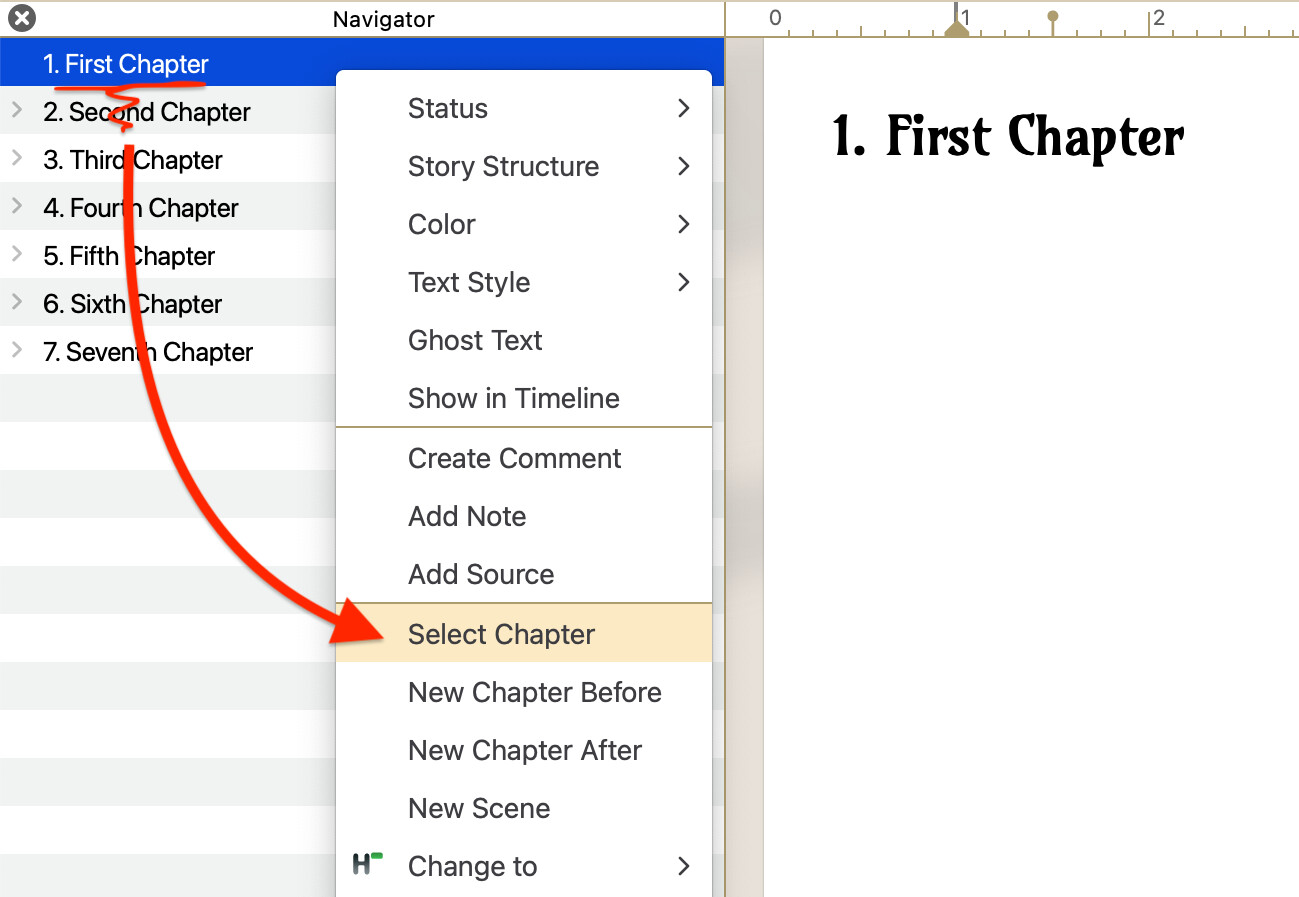
- When you’ve got a chapter ready to go in the main book, select it with right-clicking on it in the Navigator:
-
Copy and paste the text over to the newly-created chapter document.
-
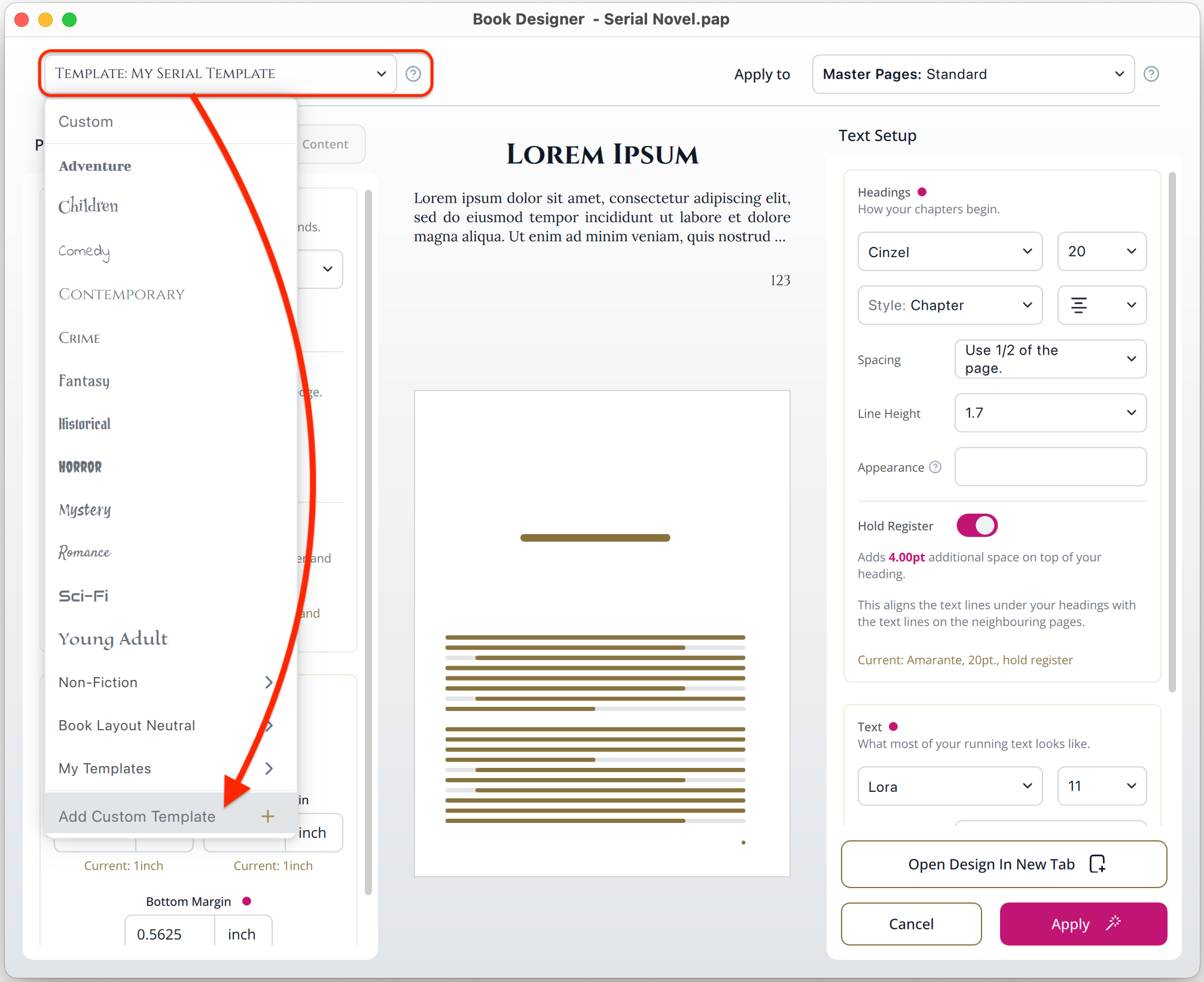
Format the new chapter document with the Book Designer (more on it here: The Book Designer )
-
Publish the PDF.
Now you’ve got a publish-ready formatted chapter, and it’s saved as its own file, so your original book is unaffected!
You can also save a design as a template in the Book Designer. That way, you can apply the exact style every time you’re about to publish a PDF:
It’s a few steps, and once you’ve set up the project and a template, it’s just a few clicks to create a new publication, and your main project’s always safe!
Tip: if you’ve got files you want to attach to your project, you can just drag-and-drop them in the Start Screen:
Let me know what you think, and have fun!